

Bifrost Wallet Goes Live With SwapKit: Native Cross-Chain Swaps
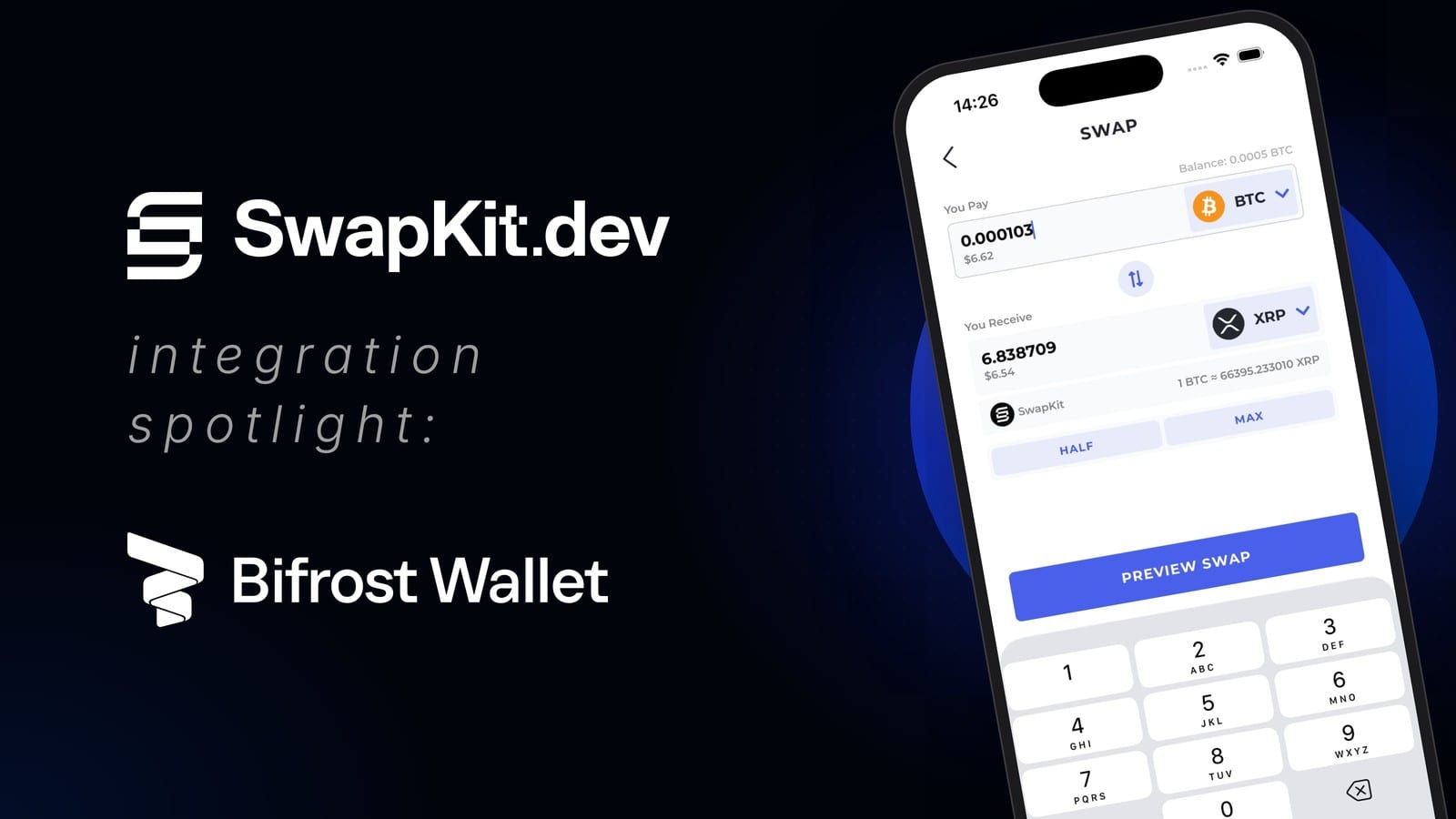
TL;DR: Bifrost Wallet is now live with SwapKit. Bifrost Wallet users can swap native assets across Bitcoin, Ethereum, XRP and more, right inside the app. Every swap is routed through decentralized, permissionless protocols and settles natively. Your keys stay on your device.
Bifrost Wallet is live with SwapKit
Bifrost Wallet is the self-custodial wallet many people know as the home of the Flare and XRP Ledger ecosystems. It supports 14 blockchains and more than 1,000 assets, has passed 250,000 installs, and lets users stake, delegate and mint FXRP from XRP without leaving the app.
Bifrost Wallet users already hold a mix of chains: XRP next to BTC, ETH next to FLR, stablecoins spread across several networks. Moving between them shouldn’t mean sending funds to an exchange first. That is what this integration is for. Bifrost Wallet now uses SwapKit to find quotes and build swap transactions across the chains its users hold.
You pick what to swap, review the quote, approve it, and the swap settles on the destination chain. BTC arrives as real BTC on the Bitcoin network, XRP as real XRP on the XRP Ledger. No wrapped tokens, no exchange account, and no company holding your funds mid-trade.
Which chains are covered
At launch, Bifrost Wallet users can swap across:
- XRP, on the XRP Ledger.
- Bitcoin, plus Litecoin and Dogecoin.
- Ethereum and its tokens and stablecoins.
- Base, BNB Chain, Polygon, Arbitrum and Optimism.
- More to follow as providers add routes.
Every swap settles natively. XRP stays XRP, BTC stays BTC, ETH stays ETH. There’s no bridged copy of your coins sitting in a contract somewhere, which removes a whole category of risk.
That makes everyday moves simple. You can rotate XRP into BTC, take profit into a stablecoin on Ethereum, or move funds from Arbitrum to BNB Chain without leaving Bifrost Wallet or touching an exchange.
Decentralized, permissionless liquidity
Bifrost Wallet doesn’t depend on a single venue. For each swap, SwapKit asks every provider that supports the pair for a quote and returns the routes side by side. Providers include:
- NEAR Intents: you state what you want to end up with, and a network of solvers competes to fill it.
- THORChain: the longest-running decentralized network for native cross-chain swaps, using on-chain liquidity pools and vaults.
- Chainflip: a decentralized exchange built for native cross-chain swaps between assets such as BTC, ETH and SOL.
- Maya Protocol: a sister network to THORChain with its own liquidity and chain coverage.
- Harbor: a decentralized exchange for native cross-chain trading, built by the founder of AirSwap and former THORChain engineers, with professional market makers quoting prices.
- Flashnet: a Bitcoin-native exchange built on Spark. It uses atomic swaps and an AMM to trade BTC near-instantly, with settlement enforced by Bitcoin’s own rules.
- Pactswap: a cross-chain DEX built on Coinweb that swaps native assets such as BTC and ETH without bridges. Every trade is backed by collateral, so either both sides settle or the collateral compensates the other party.
- Plus the other providers SwapKit integrates.
These are protocols, not exchanges holding your balance. None of them ask you to open an account, and none of them hold your coins as a balance you have to withdraw later.
SwapKit is non-custodial too. It finds the route and builds the transaction, Bifrost Wallet signs it with keys that only you control, and funds move from your wallet through the protocol to your receiving address. Every step is visible on-chain, and SwapKit’s smart contracts are open source. If one provider is down or short on liquidity, another can take the trade, and as SwapKit adds providers, Bifrost Wallet gets them automatically.
How to swap in Bifrost Wallet
- Open Bifrost Wallet and tap Swap.
- Pick the asset you’re sending and the asset and chain you want to receive.
- Enter the amount and compare the quotes, including fees and the amount you’ll receive.
- Review the transaction details and approve the swap.
- Track progress in the app until the funds arrive in your receiving account.
SwapKit handles routing, pricing and transaction building in the background. Bifrost Wallet keeps doing what it’s known for: clear transaction details, protection against malicious contracts, and keys that never leave your device.
About Bifrost Wallet
Bifrost Wallet is a self-custodial, multi-chain wallet for DeFi, NFTs and Web3, available on iOS and Android. It supports 14 blockchains and more than 1,000 assets, with deep support for the Flare, Songbird and XRP Ledger ecosystems, including staking, delegation and FXRP minting. Bifrost Wallet also includes a dApp browser and an NFT gallery, with security features that block malicious contracts before you sign.
Download Bifrost Wallet at bifrostwallet.com and follow @BifrostWallet on X.
About SwapKit
SwapKit builds non-custodial, permissionless infrastructure for decentralized cross-chain swaps, with open-source smart contracts. Through one API and SDK, wallets, dApps and other platforms get access to native swaps across 30+ blockchains and 10,000+ assets, aggregated from providers including NEAR Intents, THORChain, Chainflip and Maya Protocol. Integrators can set their own swap fees, track transaction status and run address screening.
Building a wallet and want native swaps? Talk to the team or read the docs.
Follow along on X, Discord and LinkedIn.
This article is for informational purposes only and is not financial advice.
Keep reading
Doefin Taps SwapKit for Native BTC to cbBTC Conversions
Doefin, the on-chain market for Bitcoin network difficulty, now uses SwapKit to swap native BTC into cbBTC on Base and back, with no centralized exchange.
MyDoge Goes Live With SwapKit: Native Swaps Between DOGE, Bitcoin, Ethereum, Solana and More
MyDoge is live with SwapKit: swap native DOGE to and from Bitcoin, Litecoin, Ethereum, Solana and Robinhood Chain in the wallet, with keys staying in it.
Trezor Goes Live With SwapKit: Native Swaps Across Bitcoin, Zcash, EVM, Solana, Tron, XRP and More
Trezor is live with SwapKit: swap native assets across Bitcoin, Zcash, EVM chains, Solana, Tron and XRP, confirmed on the device, with keys staying on it.